
Buyer’s guide

Best Printer for Stickers: Top Picks for Vinyl, Cricut and Sticker Shops

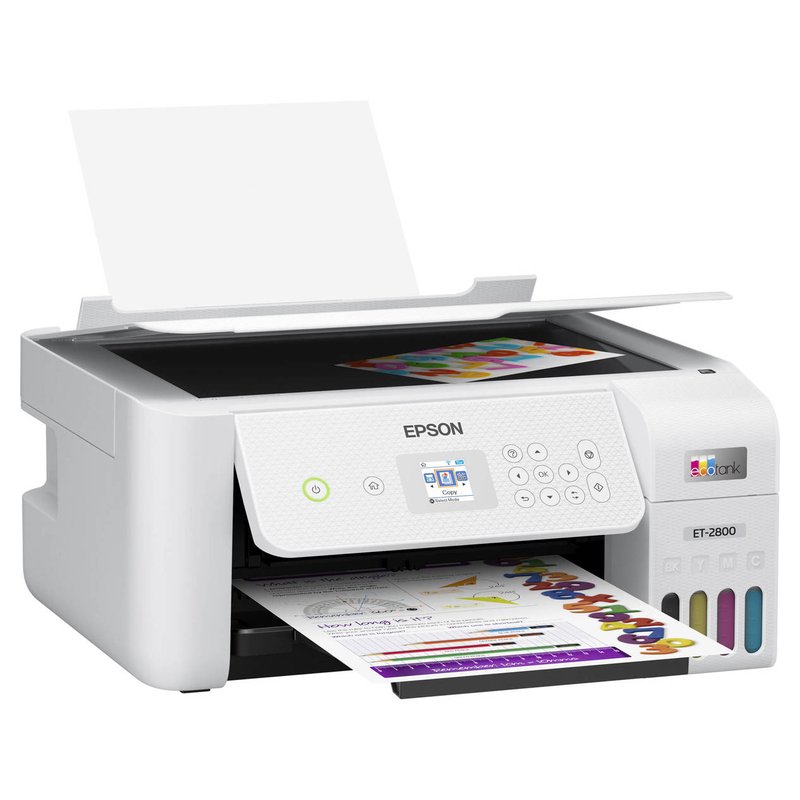
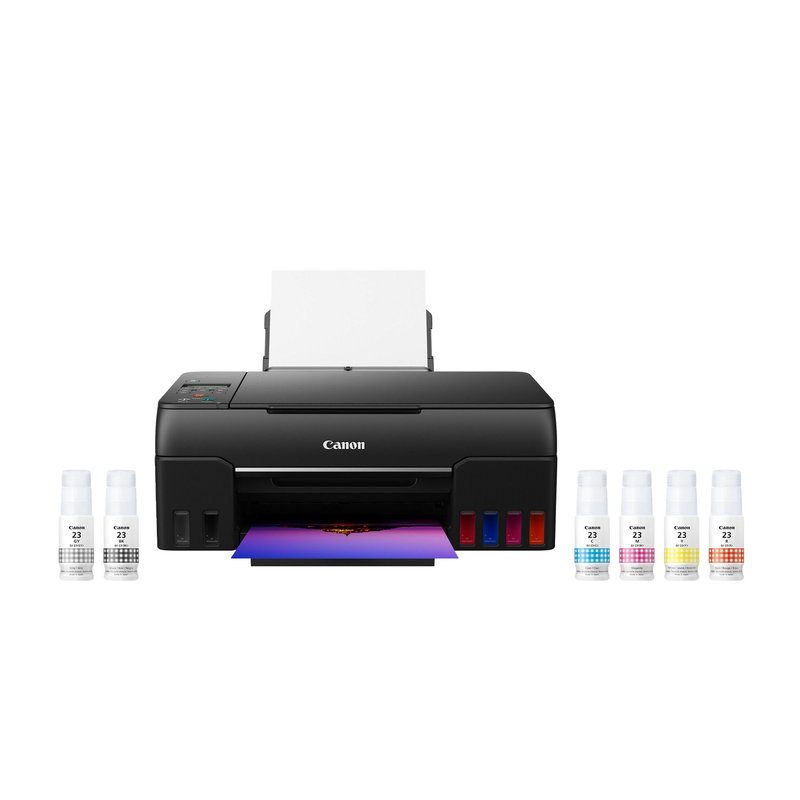
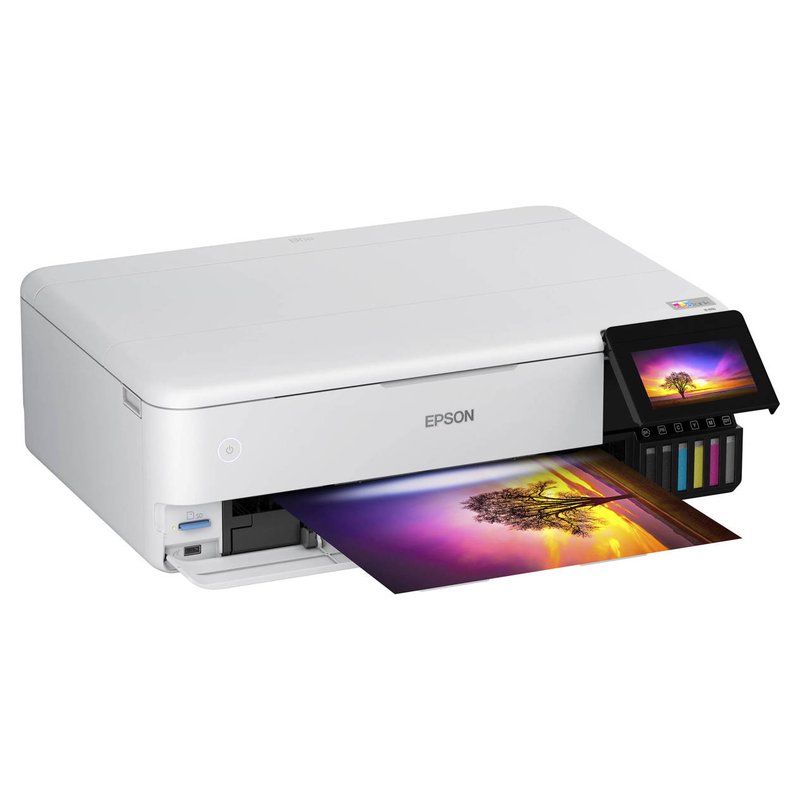
For most people, the best printer for stickers is a refillable ink-tank inkjet with a rear paper feed, matched to inkjet sticker paper or printable vinyl. Our best overall pick is the Epson EcoTank ET-2800; for brighter colour step up to the six-ink Canon G620, and for big sheets the Epson ET-8550.

Epson EcoTank ET-2800 printer
Our #1 pick

Epson EcoTank ET-2800

Mid-range price range

Type4-colour ink tank inkjet
Ink or mediaEpson 522 refill bottles
Paper handlingRear-loading feeder; Epson photo paper up to 300 g/m²

See ratings & reviews ↗ · All 7 picks

Top picks at a glance

The best printers for stickers, by what you make

Seven picks that cover how people actually make stickers: everyday sheets, vivid vinyl, big sheets for a shop, tight budgets, crafting, laser durability and all-in-one print and cut. Each card says who should skip it.

Best overall#1
Epson EcoTank ET-2800 printer

Epson EcoTank ET-2800

Mid-range price range

A four-colour EcoTank with refillable bottles: a low-running-cost budget pick in Art Side of Life’s and Castle Ink’s sticker guides.

See options ›
Best for vivid colour#2
Canon PIXMA G620 printer

Canon PIXMA G620

Mid-range price range

Six dye inks, including red and gray, and a rear-only paper path for bright illustrated and photo stickers.

See options ›
Best for large sheets#3
Epson EcoTank Photo ET-8550 printer

Epson EcoTank Photo ET-8550

Premium price range

Borderless up to 13″ × 19″, with a straight-through slot for media up to 1.3 mm thick.

See options ›
Best budget#4
Epson Expression Home XP-4200 printer

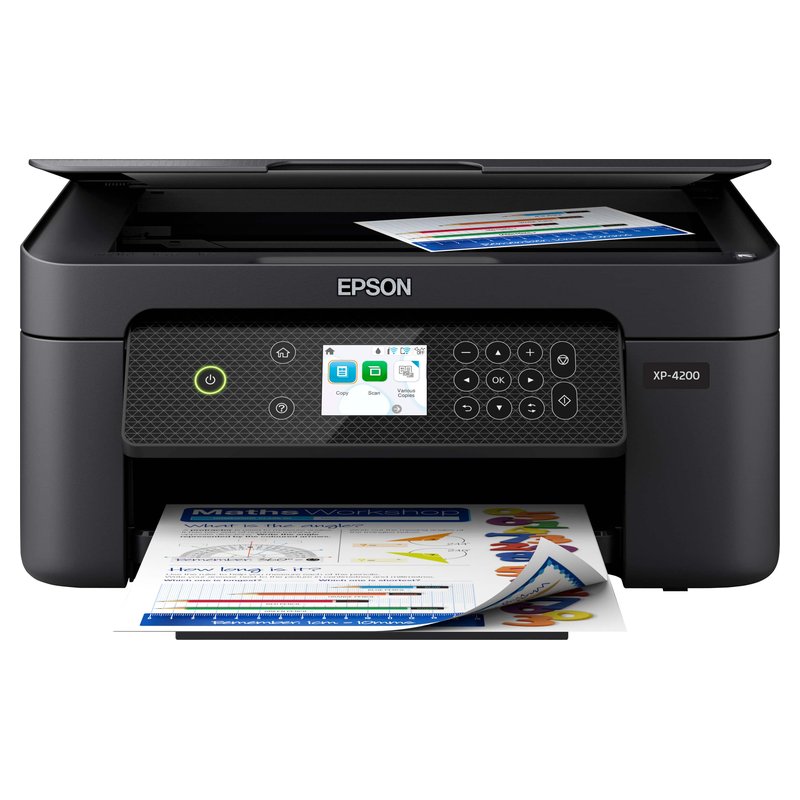
Epson Expression Home XP-4200

Budget price range

A small cartridge Epson with pigment black and borderless letter-size printing for occasional sticker sheets.

See options ›
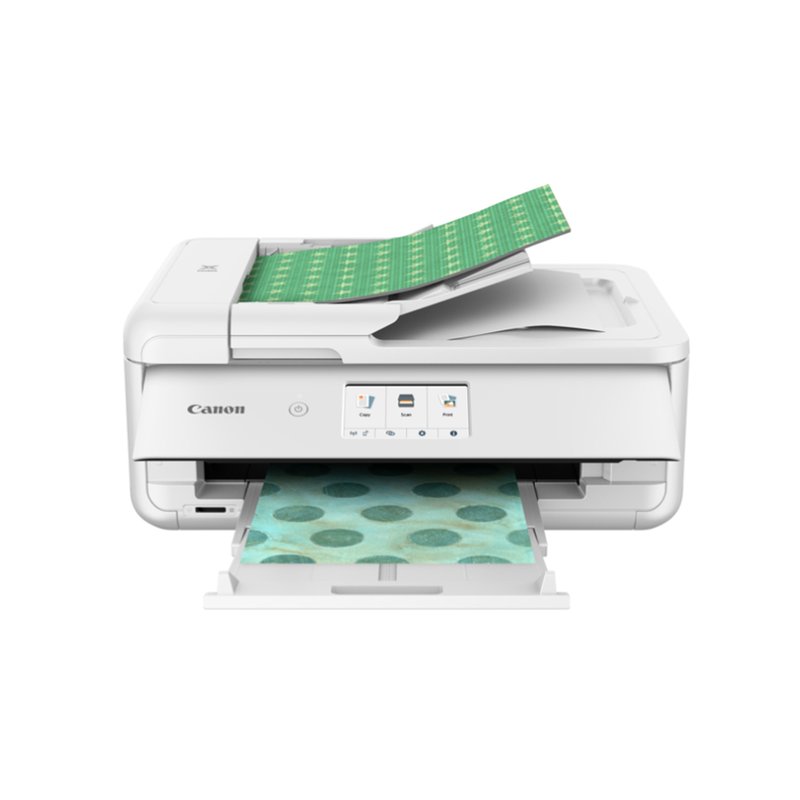
Best for crafters#5
Canon PIXMA TS9521Ca printer

Canon PIXMA TS9521Ca

Mid-range price range

Canon’s crafting printer, with 12″ × 12″ support and sheets up to 11″ × 17″.

See options ›
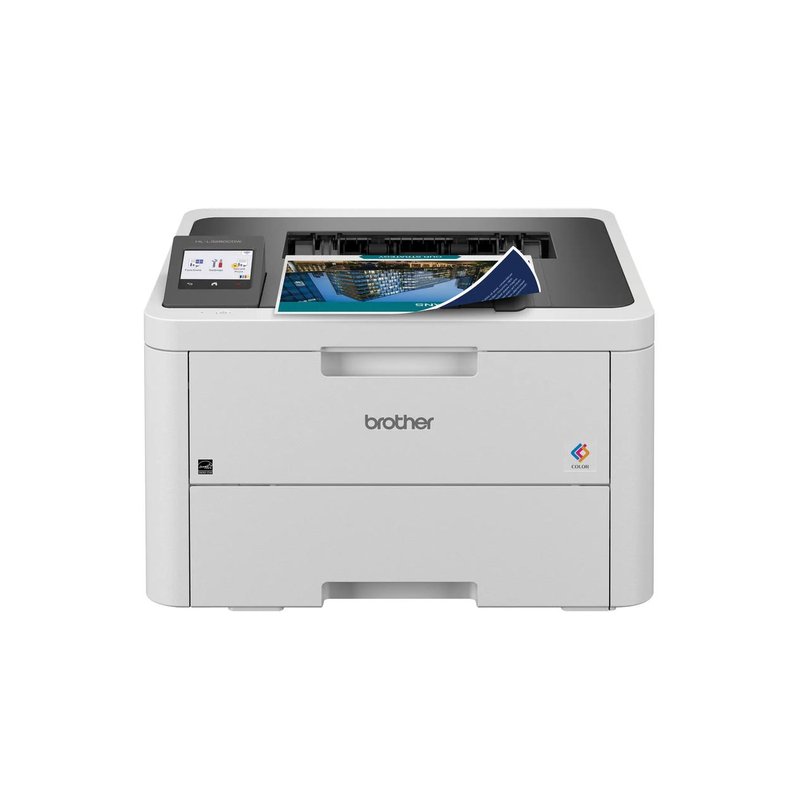
Best laser#6
Brother HL-L3280CDW printer

Brother HL-L3280CDW

Mid-range price range

A fast color laser whose manual slot is rated for labels and glossy laser media, for water-resistant prints on laser stock.

See options ›
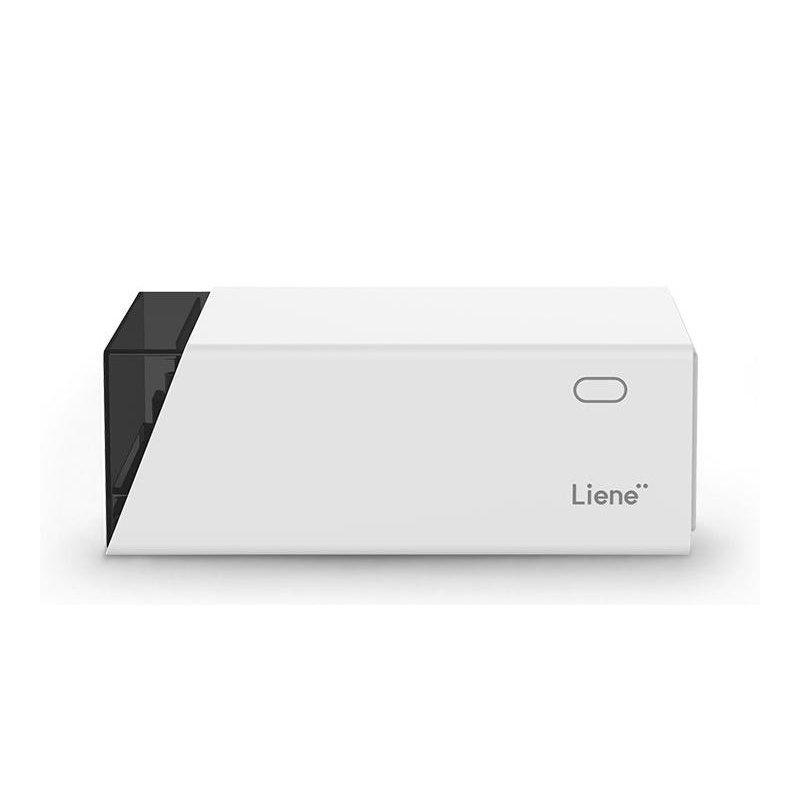
Best print-and-cut in one#7
Liene PixCut S1 printer

Liene PixCut S1

Mid-range price range

Prints, laminates and kiss-cuts 4″ × 7″ photo sticker sheets with no separate cutter.

See options ›

Prices change often, so we show a price range instead of a number. Budget is under $150, Mid-range $150–$350, Premium over $350, based on typical list prices.

Find your match

Start from what you make, not the brand

Sticker printing looks different for a journaler, a Cricut crafter and an Etsy seller. Pick the line that sounds most like you.

Canon PIXMA G620 printer

I want vinyl stickers that look great

Start with

Canon PIXMA G620

Glossy printable vinyl rewards strong colour and a gentle paper path. A six-ink printer with a rear tray is the safe choice.

Epson EcoTank ET-2800 printer

I cut my stickers with a Cricut

Start with

Epson EcoTank ET-2800

Print Then Cut needs a colour home printer, and Cricut recommends inkjet. Letter size covers the Joy Xtra, Explore and Maker.

Epson EcoTank Photo ET-8550 printer

I sell stickers

Start with

Epson EcoTank Photo ET-8550

Volume makes ink cost and sheet size matter. Refillable tanks and a 13″ × 19″ option pay off when you print every week.

Brother HL-L3280CDW printer

I want prints that shrug off water

Start with

Brother HL-L3280CDW

Toner on laser-rated vinyl or label stock resists water without a topcoat. You trade away photo-like colour.

Epson Expression Home XP-4200 printer

I want to spend as little as possible

Start with

Epson Expression Home XP-4200

A small cartridge printer is cheapest to buy. If you print often, an ink tank costs more upfront and much less to run.

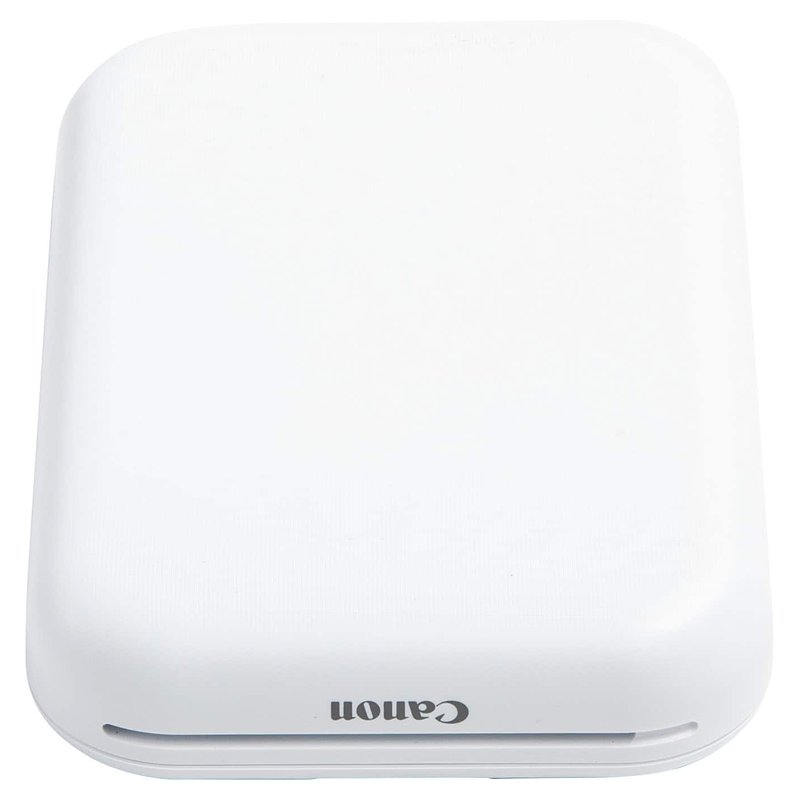
Canon IVY 2 printer

I want tiny stickers for my journal

Start with

Canon IVY 2

Pocket printers need no ink: ZINK prints colour photo stickers, thermal prints black labels.

Our picks in detail

What each printer does well, and who should skip it

Specifications come from each brand; notes draw on sticker paper makers, Cricut’s help centre and independent reviews. We have not tested or used these printers ourselves. How we pick.

Best overall#1

Epson EcoTank ET-2800

The ET-2800 is the sensible default for most people who want to print stickers at home. It is a plain four-colour EcoTank with refillable bottles instead of cartridges, so the full-coverage designs that drain cartridges quickly cost far less to feed, and Art Side of Life and Castle Ink both name it a budget pick for stickers.

Why it stands out

  • Refillable 522 ink bottles; Epson rates a replacement set at 4,500 pages black and 7,500 colour on its ISO test pages.
  • Epson lists photo paper up to 300 g/m² and custom sheet sizes up to 8.5″ × 47.2″.
  • Named a budget pick for stickers and for Cricut Print Then Cut by Art Side of Life, and the best budget ink tank by Castle Ink.
Type4-colour ink tank inkjet
Ink or mediaEpson 522 refill bottles
Largest sizeLegal; custom up to 8.5″ × 47.2″
Paper handlingRear-loading feeder; Epson photo paper up to 300 g/m²
Best forEveryday stickers at a low ink cost

Good fit if

  • You print stickers regularly and want ink to stop being the expensive part.
  • Your sheets are letter size, which also covers Cricut Print Then Cut.
  • You also need a basic scanner and copier.

Skip it if

  • You want 13″ × 19″ sheets: look at the ET-8550.
  • You want the smoothest gradients: four colours are less subtle than six-ink photo models.
  • You need automatic two-sided printing for documents: the ET-2980 adds it.

Epson does not state on the ET-2800 page whether its 522 inks are dye or pigment. Either way, laminate stickers that will be handled a lot or get wet.

Best for vivid colour#2

Canon PIXMA G620

The G620 is a six-ink MegaTank built for photos, and that extra red and gray make illustrated stickers look punchier than on a basic four-colour printer. It feeds everything from a rear tray, which keeps thick sticker sheets on a gentle paper path.

Why it stands out

  • Six GI-23 dye inks (cyan, magenta, yellow, black, red and gray) in refillable tanks.
  • Rear tray only; Canon lists its own media up to about 275 gsm.
  • Castle Ink calls it the best value for vivid colour; TechRadar ranks it among its best photo printers.
Type6-colour MegaTank inkjet
Ink or mediaSix GI-23 dye inks, incl. red and gray
Largest sizeLegal 8.5″ × 14″
Paper handlingRear tray only; Canon paper up to about 275 gsm
Best forVivid illustrated and photo stickers

Good fit if

  • Your stickers are colourful illustrations or photos.
  • You want low running costs and better colour than a four-ink tank.
  • You print on letter-size sheets.

Skip it if

  • You need automatic two-sided printing or a front paper drawer.
  • You want sheets larger than legal size.
  • You need water resistance without laminating: all six inks are dye-based.

Canon notes that its Photo Stickers media cannot be printed borderless on this model. Canon’s own store page has also shown the G620 marked discontinued while still in stock, so check the listing is new before buying.

Best for large sheets#3

Epson EcoTank Photo ET-8550

The ET-8550 is the upgrade for big sticker sheets and heavy stock. It is a six-colour EcoTank that prints borderless up to 13″ × 19″ and has a rear straight-through slot for media up to 1.3 mm thick, so it takes thick sheets one at a time.

Why it stands out

  • Borderless printing up to 13″ × 19″ (A3+), per Epson.
  • Rear straight pass for card stock and specialty media up to 1.3 mm.
  • Six 552 inks; Epson rates the black bottle at 6,700 ISO pages and each colour at 6,200.
Type6-colour ink tank inkjet
Ink or mediaEpson 552 bottles, six colours
Largest size13″ × 19″ (A3+)
Paper handlingRear straight pass for media up to 1.3 mm
Best forBig sheets and thick stock

Good fit if

  • You sell stickers or print large sheets you cut down later.
  • You use thick vinyl, magnet sheets or card stock.
  • You want low ink cost per sheet and photo-grade colour.

Skip it if

  • You only print a few letter-size sheets a month: the ET-2800 does that for far less.
  • Desk space is tight: it is a large, heavy wide-format machine.

Epson’s rear slot takes one sheet at a time, and card stock from 0.61 mm needs that slot.

Best budget#4

Epson Expression Home XP-4200

If you only make stickers now and then, the XP-4200 keeps the upfront spend low. It is a small four-cartridge Epson with automatic two-sided printing and borderless letter-size output. Its small cartridges are the trade-off.

Why it stands out

  • Pigment black with dye colours (Epson Claria inks).
  • Borderless printing on Letter, A4, 8×10, 5×7 and 4×6.
  • Art Side of Life names it Epson’s budget pick for stickers.
Type4-colour cartridge inkjet
Ink or mediaEpson 232 cartridges (pigment black)
Largest sizeLegal; custom up to 8.5″ × 47.2″
Paper handlingSingle 100-sheet input; weight limit not published
Best forOccasional stickers on a small budget

Good fit if

  • You print stickers occasionally, a few sheets at a time.
  • You want one printer for homework, documents and the odd sticker sheet.

Skip it if

  • You print full-colour sheets every week: Epson rates the standard 232 colour cartridge at 140 ISO pages.
  • You use very thick sticker stock: Epson does not publish a media weight limit for it.
Best for crafters#5

Canon PIXMA TS9521Ca

Canon sells the TS9521Ca as an all-in-one crafting printer. Its draw for sticker makers is paper size: it handles up to 11″ × 17″ and supports 12″ × 12″ scrapbook paper, with a rear tray for specialty media and a front cassette for everyday paper.

Why it stands out

  • Supports 12″ × 12″ and up to 11″ × 17″ paper.
  • Rear tray plus a front cassette, with automatic two-sided printing.
  • Art Side of Life calls the series its crafters’ pick for stickers, vinyl and transfer paper.
TypeCartridge inkjet sold as a crafting printer
Ink or mediaIndividual ink cartridges
Largest size11″ × 17″; 12″ × 12″ supported
Paper handlingRear tray plus front cassette
Best forCrafters and scrapbook-size sheets

Good fit if

  • You make stickers, cards and scrapbook pages and want one printer for all of it.
  • You use square craft paper.

Skip it if

  • You print a lot: cartridges cost much more per sheet than an ink tank.
  • You only use a Cricut Joy Xtra, Explore or Maker on letter paper: a letter-size printer does the same job.

Canon’s pages confirm the older TS9521C’s cartridges (pigment black plus dye colours); check the cartridge list on the TS9521Ca listing before you buy ink.

Best laser#6

Brother HL-L3280CDW

If you want stickers that shrug off a splash without laminating, a color laser on laser-rated sticker stock is the route, and the HL-L3280CDW is a fast, well-reviewed one. Its manual slot is rated for labels and glossy media, one sheet at a time.

Why it stands out

  • Up to 27 pages per minute in black and colour, per Brother.
  • Brother lists labels, glossy paper and thick paper (60–163 g/m²) for the manual feed slot.
  • TN229 toner, with high-yield XL cartridges rated up to 3,000 pages black.
TypeColor laser, 27 ppm
Ink or mediaTN229 toner (standard or XL)
Largest sizeLegal 8.5″ × 14″
Paper handlingSingle-sheet manual slot; 16–43 lb bond
Best forLaser-rated sticker sheets in volume

Good fit if

  • You print matte sticker labels or product labels in volume.
  • You want prints that stay put if they get wet, on laser-rated stock.
  • Speed matters more than photo colour.

Skip it if

  • You use inkjet printable vinyl or inkjet sticker paper: Brother says not to use inkjet paper in this printer.
  • Your stickers are photos or detailed art: laser output is less photographic.
Best print-and-cut in one#7

Liene PixCut S1

The PixCut S1 removes the separate cutting step. It prints with dye-sublimation, adds a protective laminate pass and then kiss-cuts around each design on its own, from a phone app. The catch is size: everything happens on 4″ × 7″ sheets.

Why it stands out

  • Four-pass D2T2 dye-sub printing with a laminate layer, at 300 × 300 dpi (TechRadar).
  • Kiss-cuts automatically; the app assigns cut paths for you.
  • TechRadar’s review praised its shop-quality laminated stickers.
TypePrinter and cutter in one
Ink or mediaDye-sub ribbon + 4″ × 7″ sticker sheets
Largest sizeAbout 3.9″ × 6.7″ printable
Paper handlingPrints, laminates and kiss-cuts; no mat
Best forSmall laminated photo stickers

Good fit if

  • You want finished photo stickers with no cutting machine or calibration.
  • You make small batches for events, gifts or a market stall.

Skip it if

  • You want big sheets or full-page designs.
  • You want to fine-tune cut lines: reviewers found the cut paths hard to customise.
  • You already own a Cricut or Silhouette.

Side by side

Compare the specs

Scroll sideways on a phone. Sizes and paper limits are each brand’s own.

PrinterBest forTypeLargest sizePaper handlingBest forPrice range
Epson EcoTank ET-2800Best overall4-colour ink tank inkjetLegal; custom up to 8.5″ × 47.2″Rear-loading feeder; Epson photo paper up to 300 g/m²Everyday stickers at a low ink costMid-rangeDetails ›
Canon PIXMA G620Best for vivid colour6-colour MegaTank inkjetLegal 8.5″ × 14″Rear tray only; Canon paper up to about 275 gsmVivid illustrated and photo stickersMid-rangeDetails ›
Epson EcoTank Photo ET-8550Best for large sheets6-colour ink tank inkjet13″ × 19″ (A3+)Rear straight pass for media up to 1.3 mmBig sheets and thick stockPremiumDetails ›
Epson Expression Home XP-4200Best budget4-colour cartridge inkjetLegal; custom up to 8.5″ × 47.2″Single 100-sheet input; weight limit not publishedOccasional stickers on a small budgetBudgetDetails ›
Canon PIXMA TS9521CaBest for craftersCartridge inkjet sold as a crafting printer11″ × 17″; 12″ × 12″ supportedRear tray plus front cassetteCrafters and scrapbook-size sheetsMid-rangeDetails ›
Brother HL-L3280CDWBest laserColor laser, 27 ppmLegal 8.5″ × 14″Single-sheet manual slot; 16–43 lb bondLaser-rated sticker sheets in volumeMid-rangeDetails ›
Liene PixCut S1Best print-and-cut in onePrinter and cutter in oneAbout 3.9″ × 6.7″ printablePrints, laminates and kiss-cuts; no matSmall laminated photo stickersMid-rangeDetails ›

Want to see more than our seven picks?

Browse more sticker printers ›

Not sure where to start?

Most people do well with a letter-size ink tank, inkjet sticker paper or printable vinyl, and a laminate for anything that gets wet. The Epson ET-2800 covers that, including Cricut Print Then Cut sheets. Paper sizes and what’s in the box are on the product page.

How to choose

Five things that matter more than the brand

Most sticker headaches come from the wrong media for the printer, a paper path that bends thick sheets, or ink costs nobody planned for.

01

Match the printer to the sheet

Avery’s rule is simple: inkjet products in inkjet printers, laser products in laser printers. Most printable vinyl, including Cricut’s, is inkjet-only because laser fuser heat can damage it.

02

Give thick sheets a straight path

Sticker sheets are stiff. Avery suggests the manual feed or the straightest paper path, one sheet at a time. Rear trays and straight-through slots help.

03

Price the ink, not just the printer

Refillable ink tanks cost more to buy and far less to run. Cartridge printers suit occasional sheets. ISO yields come from office test pages, so full-colour stickers use more ink.

04

Size the sheet to your cutter

Cricut Print Then Cut tops out at 7.44″ × 9.94″ on letter paper for the Joy Xtra, Explore and Maker. Bigger sheets only help if your cutter can use them.

05

Durability comes from media and laminate

No home printer makes waterproof stickers on its own. Vinyl or film resists splashes, pigment ink and toner resist water better than dye, and a laminate does the most.

FAQ

Printing stickers at home: questions answered

Straight answers to the questions people ask before buying, drawn from printer makers, sticker paper makers, Cricut’s help centre and independent reviews.

Printing stickers at home5

Can you print stickers at home?

Yes. Most home inkjet and laser printers can print stickers if you load sticker paper or printable vinyl made for that printer type. Avery says inkjet products belong in inkjet printers and laser products in laser printers. You then cut them out by hand or with a cutting machine such as a Cricut, and laminate any that need to survive water.

What do I need to make stickers at home?

You need a printer, sticker media that matches it (inkjet or laser), a way to cut, and optionally a clear laminate. Cricut’s Print Then Cut, for example, needs a colour home printer plus a compatible Cricut machine. For a first try, scissors and a sheet of matte sticker paper are enough.

Can any printer print stickers?

Most can, as long as the media matches the printer. Avery does not recommend running inkjet products through a laser printer because they are not meant to withstand the heat. Some sheets, such as Avery sticker papers 4397 and 53202, are made for both inkjet and laser. Check the pack before you print.

Do I need a special sticker printer?

No. An ordinary inkjet makes good stickers on inkjet sticker paper or printable vinyl, and art-focused reviewers such as Art Side of Life recommend standard photo and ink-tank inkjets. Dedicated sticker printers, such as pocket ZINK or thermal printers, make small stickers without ink but cannot print full sheets.

Are sticker printers worth it?

They are worth it if you make stickers often or want them on demand. A home printer gives you full control of designs and quantities, but cutting takes time and durability depends on the media. Sticker Mule-style print shops sell vinyl stickers they describe as dishwasher safe, which no home sticker paper maker we found claims.

Making stickers for the first time? Our best overall pick is the easiest place to start.See our #1 pick
Inkjet, laser or ink tank5

Is inkjet or laser better for stickers?

Inkjet is better for most stickers. It works with printable vinyl and glossy inkjet sticker paper and gives more photographic colour; Canon USA calls inkjet the better bet for photos. Laser suits matte labels in volume and, per Avery, waterproof labels when paired with laser-rated vinyl, but it cannot use inkjet vinyl.

Can you put printable vinyl in a laser printer?

Only if the vinyl is made for laser printers. Cricut says its standard Printable Vinyl is for inkjet printers only and that a laser printer may damage the material or printer. Cricut, Avery and OnlineLabels each sell separate laser-rated vinyl or label stock designed for fuser heat.

Are ink tank printers worth it for stickers?

Usually, if you print stickers regularly. Ink tanks such as Epson EcoTank and Canon MegaTank cost more upfront but use refill bottles; Epson rates the ET-2800’s replacement bottles at 4,500 black and 7,500 colour ISO pages. Which? notes ink tanks are not ideal if you print only occasionally.

Dye or pigment ink: which is better for stickers?

Dye ink gives brighter colour and smooth gradients; pigment ink resists water and fading better. Canon Europe says dye stays water-soluble, so it can blur if the paper gets wet, while pigment offers better water and UV resistance. Many home printers mix pigment black with dye colours. Laminate either for durable stickers.

How many sticker sheets will a bottle or cartridge print?

No maker publishes a sticker figure. Ink yields are measured with ISO/IEC 24711 and 24712 test pages printed on plain paper, and ISO says the method excludes photo printing. HP adds that dense pages yield fewer prints. Full-colour sticker sheets use much more ink than those office test pages.

Printing often? A refillable ink tank keeps the cost of full-colour sheets down.What owners say
Sticker paper and vinyl5

Printable vinyl or sticker paper: which should I use?

Use printable vinyl for stickers that will be handled, carried or splashed, and sticker paper for indoor, short-term use. OnlineLabels describes printable vinyl as a durable, water-resistant material and sticker paper as best for indoor or short-term use and more cost-effective.

Glossy or matte sticker paper?

Glossy makes colours pop; matte is easier to write on and to cut with a machine. Cricut says Print Then Cut works best on non-reflective or matte materials, and OnlineLabels says glossy sheets can interfere with a Cricut’s sensor. Clear matte tape over the marks is the workaround both suggest.

Can a home printer print white on clear stickers?

No. Most home and office printers have no white ink, so OnlineLabels and Avery both say any white in your design prints as bare, clear material. Design clear stickers with darker colours and outlines, or use white vinyl if the design depends on white.

Why does my printer jam on sticker paper?

Sticker sheets are thicker than copy paper, and printers can double-feed or misfeed them. Avery suggests the manual feed or the straightest paper path and feeding one sheet at a time. Epson’s ET-8550 takes card up to 1.3 mm through its rear straight-through slot, one sheet at a time.

What printer settings should I use for sticker paper?

Follow the sheet maker, because advice differs. Cricut says to use high, best or photo-paper quality for its printable vinyl and drop to good if it smudges. Avery suggests Labels, Heavyweight or Matte Photo as the paper type and Normal quality on glossy labels to avoid smearing. Print at 100% scale.

Printing on glossy vinyl? A rear-tray photo printer handles thick sheets gently.See details
Waterproof and long-lasting5

Are home-printed stickers waterproof?

Not on their own. Avery’s sticker paper pages make no waterproof claim, and its waterproof labels are waterproof only with laser or pigment-inkjet printers. Printable vinyl is water-resistant, which Avery defines as handling splashes but not soaking. For real water exposure, add a laminate.

How do I make printed stickers waterproof?

Print on vinyl or film, let the ink dry, then add a clear laminate or overcoat. Cricut sells a Waterproof Sticker Set that pairs printable vinyl with a laminating sheet. OnlineLabels warns that sprays will not make paper labels waterproof and work best on film-based labels.

Are home-printed stickers dishwasher safe?

Don’t count on it. We found no home sticker paper maker, including Avery, OnlineLabels and Cricut, that claims dishwasher safety. Brother says even its laminated sticker kit can let water seep in from the sides if immersed. The dishwasher-safe claim we found comes from a print shop, Sticker Mule.

Will printed stickers fade in the sun?

They can, especially with dye inks. Epson says dye inks depend on special paper to resist fading, and OnlineLabels says laser toner lasts longer outdoors than ink. Brother warns laminated inkjet stickers may fade in direct sunlight. Cricut recommends UV-resistant ink with its waterproof sticker set.

How long should ink dry before laminating or cutting?

Let it dry fully. Cricut says to let ink dry before cutting printable vinyl and before laminating. OnlineLabels says 24 hours is ideal before a topcoat, though a few hours lets ink set. Avery suggests 30–60 seconds per sheet on glossy labels before stacking.

Want prints that shrug off water? Toner on laser-rated vinyl is the other route.See our laser picks
Cutting your stickers5

Can a Cricut print stickers?

No. A Cricut cuts but does not print. With Print Then Cut, you print the design and sensor marks on your home printer, then the Cricut reads the marks and cuts around each sticker. Cricut lists the Joy Xtra, Explore, Maker and Venture as Print Then Cut machines; the original Cricut Joy is not.

What is the largest Print Then Cut size?

On letter paper it is 7.44 by 9.94 inches for the Joy Xtra, Explore, Maker and Venture, and 7.2 by 10.62 inches on A4, according to Cricut. Explore, Maker and Venture also support tabloid and A3; only Venture supports 12-by-12 and 13-by-19 inch sheets.

Which printer works best with a Cricut?

A colour inkjet that handles your sticker media. Cricut recommends inkjet and says laser printers are not for heat-sensitive materials such as printable vinyl. Because Print Then Cut on most machines uses letter or A4 sheets, a letter-size ink tank such as the Epson ET-2800 covers it.

Why won’t my Cricut read the Print Then Cut marks?

Glare and gloss are the usual causes. Cricut says direct sunlight or lamps aimed at the machine can interfere, and that materials should be matte or non-reflective; matte tape over the marks helps on glossy sheets. Smudged marks, wrinkles and incorrect mat placement also cause errors. Recalibrate if cuts are offset.

What is the difference between kiss-cut and die-cut stickers?

A die-cut sticker is cut through both the vinyl and the backing to the shape of the design, as Sticker Mule defines it. A kiss-cut sticker is cut around the design but stays on a larger backing that makes it easy to peel. Home cutters make kiss-cuts most easily.

Want printing and cutting in one box? See how an all-in-one compares with a printer plus cutter.Compare printer + cutter setups
Mini, ZINK, thermal and sublimation5

Do sticker printers need ink?

Some do and some don’t. Pocket thermal printers use heat-sensitive paper, and the EPA notes paper is the only consumable for direct thermal printing. ZINK printers, such as the Canon IVY 2, use paper with colour built in. Full-sheet sticker printing on a home inkjet or laser still needs ink or toner.

What is ZINK paper?

ZINK is zero-ink photo paper with the colours embedded in the sheet. ZINK says it needs no cartridges, toner or ribbons and prints in a single pass. ZINK describes the paper as water-resistant, tear- and smudge-resistant and adhesive-backed, so prints work as stickers.

Do thermal sticker prints fade?

They can. The EPA says thermal paper can be damaged by prolonged sunlight, water, chemicals and friction, and turns black with heat, though suitable paper stored well typically lasts five to ten years. Phomemo sells rolls it rates for 10 or 20 years if kept from heat and sun.

Can you print stickers with a sublimation printer?

Not usefully. Sublimation ink is meant to transfer with heat onto polyester or polymer-coated blanks; Sawgrass says sublimation needs a polymer coating to hold the dye. For stickers, use regular inkjet ink on sticker media. Dye-sub photo sticker printers such as the Liene PixCut S1 use a different ribbon process.

Do mini sticker printers print in colour?

ZINK models do; thermal models mostly don’t. The Canon IVY 2 and HP Sprocket print full colour on 2-by-3-inch ZINK paper. Thermal printers such as the Phomemo M02 Pro print in one colour, though coloured and transparent rolls are sold.

Want colour photo stickers from your phone? See the pocket printers.See mini picks
Selling your stickers5

What printer is best for a sticker business?

An ink tank with good colour and a straight paper path, and ideally 13-by-19-inch sheets if you cut large batches. The Epson ET-8550 prints borderless up to 13 by 19 inches and takes media up to 1.3 mm through its rear slot. Castle Ink names it its best overall sticker printer.

Can I sell stickers I print at home on Etsy?

Yes, under Etsy’s rules. Etsy allows items made by a seller with personal or computerized tools, and original designs printed by a third party if you disclose the production partner. Etsy says sellers are responsible for having all necessary rights to their content.

Can I sell fan art stickers?

Be careful. Etsy removes material reported for intellectual property infringement and can suspend repeat offenders. The US Copyright Office says only a federal court can decide whether a use is fair use. If you did not create a character or logo, check the rights before selling it.

Should I print stickers myself or order them?

Print at home for small runs, testing designs and custom one-offs; order from a print shop when you need very durable die-cut vinyl in quantity. No reliable source gives a break-even number, so compare your own media, ink and time costs with a quote.

How do I keep sticker printing costs down?

Use refillable ink, print regularly and nest designs tightly on each sheet. Epson recommends printing at least one colour page a week to keep nozzles clear, while Canon suggests using its printer at least once a month. Clogged heads waste ink on cleaning cycles.

Printing every week? Browse more sticker printers.Browse sticker printers

How we pick

How this guide is put together

  • We compare each brand’s published specifications: ink system, paper sizes, feed paths and the heaviest media each printer is rated for.
  • We read sticker paper makers’ guidance (Avery, OnlineLabels, Cricut) to match printers to media.
  • We read independent reviews and sticker artists’ guides, and we say when sources disagree.
  • We have not tested or used these printers ourselves, and we do not accept free products or take payment for placement.

What a home printer can and cannot do

A home printer makes great stickers on the right media, but it does not make them waterproof on its own. Vinyl, pigment ink or toner and a clear laminate are what add durability. Cutting is a separate step unless you buy an all-in-one sticker maker.

Read how we pick →

Your stickers, your sheets, your cutter: pick for all three

Match the printer to the sticker media, the sheet size to your cutter, and the ink system to how often you print. If you are unsure, start with our best overall pick.